
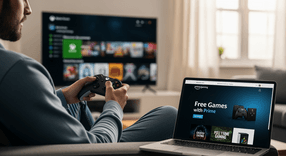
Free Xbox Games with Amazon Prime: How to Get Them
If you have an Amazon Prime subscription, you likely know about the free shipping and video streaming benefits. However, many gamers overlook one of the best perks included in the bundle: Prime Gaming. While often associated with PC gaming, there are significant benefits available for console players as well. In 2026, the integration between cloud services and consoles makes these perks more valuable than ever.
This guide explains exactly how you can maximize your subscription to get free titles, exclusive in-game content, and cloud streaming access on your Xbox.
Understanding Prime Gaming for Xbox Users
Before diving into the "how-to," it is important to understand what you actually get. Prime Gaming Xbox benefits are slightly different from what PC players receive. While PC users frequently get a library of downloadable full games, the question "does Amazon Prime have free games for Xbox?" has a nuanced answer.For Xbox users, the benefits generally fall into three categories:- In-Game Content: Exclusive skins, currency, and items for popular multi-platform games.
- Cloud Gaming: Access to a rotating library of games playable via the browser on your console through Amazon Luna.
- Digital Codes: Occasionally, Prime Gaming offers full game codes that can be redeemed directly on the Xbox Store, though these are rarer than PC offers.
How to Link Your Amazon Prime and Xbox Accounts
To claim your loot, you must connect your accounts. If your accounts are not linked, Amazon has no way of delivering the content to your console game libraries.Follow these steps to link accounts and learn how to get Prime Gaming on Xbox:- Log in to Prime Gaming: Visit the Prime Gaming website and sign in with your active Amazon Prime account.
- Find a Reward: Click on a reward for an Xbox-supported game (like an EA Sports title, Ubisoft game, or Activision shooter).
- Follow the Prompt: When you attempt to claim the item, a pop-up will ask you to link your game publisher account (e.g., EA, Ubisoft Connect, or Activision) to your Amazon account.
- Link Xbox Live: Ensure that same publisher account is already linked to your Xbox Gamertag. This creates a bridge: Amazon -> Publisher -> Xbox.
Step-by-Step: How to Claim Free Xbox Games and Perks
Once your accounts are connected, claiming content is a quick process. Here is how to claim free Xbox games Prime offers:- Navigate to the Prime Gaming homepage.
- Use the search bar or filter options to select "Xbox" or specific games you own.
- Look for the purple "Claim" or "Claim Content" button on the loot card.
- If the accounts are linked properly, you will see a "Successfully Claimed" message.
Playing Prime Games on Xbox via Amazon Luna
One of the most exciting developments is the ability to stream games directly to your console without downloading them. This is possible through Amazon Prime on Xbox via the browser.By using the Microsoft Edge browser on your Xbox, you can access Amazon Luna. Prime members get access to the "Prime Channel," which features a rotating selection of games that you can play instantly via the cloud. This allows you to test out titles or play smaller indie games without using up your console's precious storage space.Current Amazon Prime Xbox Perks and In-Game Loot
The selection of Amazon Prime Xbox perks changes monthly, but the value is consistent. Buying these items separately in game stores would cost real money.Common free Xbox game codes and loot drops include:- Competitive Shooters: Epic skins and weapon charms for games like Overwatch 2, Apex Legends, and Call of Duty.
- Sports Titles: Ultimate Team packs or draft tokens for the latest FC (formerly FIFA) and Madden titles.
- MMOs and RPGs: In-game currency, XP boosters, and mounts for titles like Diablo IV or The Elder Scrolls Online.
Frequently Asked Questions
Instant code delivery by email
Safe & secure payment
Certified reseller
Amazon Gift Card
Direct delivery