
Mobiletopup.co.uk is a certified reseller of Apple Gift Card
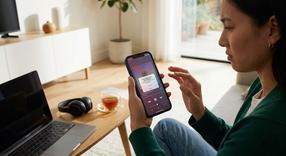
Can You Screen Record Apple Music?
If you are trying to figure out if you can screen record Apple Music to save your favorite songs, the direct answer is a firm no. You cannot natively capture Apple Music with audio on your iOS device. While you might occasionally be able to capture the visual interface of the app, the music itself is strictly protected by the system.
Why You Can’t Screen Record Apple Music Audio
Many users wonder why they cannot screen record Apple Music anymore. The technical reason behind this block is Apple’s FairPlay Digital Rights Management (DRM). This system is hardcoded into your device to protect copyrighted material.Apple maintains strict copyright laws and licensing agreements with global record labels and artists. When you buy a subscription or redeem Apple Music gift cards, you are purchasing a license to stream the music for personal enjoyment, not the right to copy or distribute it. Therefore, the inability to capture audio is not an iOS glitch; it is a deliberate, carefully designed feature meant to prevent piracy.What Happens When You Try to Screen Record While Apple Music is Playing?
If you try to bypass these restrictions, your device will simply yield a silent video. The screen recording feature will continue to capture all the visual elements, taps, and swipes on your screen, but the audio will completely cut out the moment the recording initializes.In some specific instances, such as attempting to record premium music videos directly within the app, your screen may turn entirely black to protect the visual copyright as well. Ultimately, once you stop the screen recording on your iPhone, you will find that the saved video file in your Photos app has absolutely zero sound from the Apple Music application.How to Screen Record Apple Music Lyrics (Visuals Only)
If you are simply looking to capture the visual scrolling text of a song's lyrics to share online, this is completely possible. You just have to accept that there will be no background sound accompanying the clip.How to Enable Screen Recording on iPhone
Before you capture the screen, you need to ensure the recording tool is readily available on your device.- Open your Settings app.
- Navigate to the Control Center menu.
- Scroll down to find the Screen Recording option and tap the green plus icon to add it to your active widgets.
Steps to Capture the Scrolling Lyrics
Once your widget is enabled, follow these steps to capture the lyrics:- Open the Apple Music app and start playing a track.
- Swipe to open your Control Center and hit the record button.
- Return to Apple Music and tap the lyrics icon at the bottom of the screen to open the live lyrics view.
- Allow the text to scroll visually as the song progresses.
- When you are finished, stop the screen recording on your iPhone by tapping the red clock or red status bar at the top of your screen, then confirm you want to stop.
Legal Alternatives: How to Add Music to a Screen Recording
If you need music to accompany a video, you will have to use alternative methods. Whether you purchase tracks directly or use an Apple Gift Card to pay for your Apple Music subscription, you have a few safe options for sharing media.Using Built-in Social Media Tools (Instagram, TikTok, CapCut)
Instead of trying to force a screen recording of a copyrighted song, you should record your screen silently. After you have your silent footage, import that video into platforms like Instagram, TikTok, or a video editor like CapCut. You can then use their vast, fully licensed audio libraries to search for and lay the exact same track over your silent video.Direct Sharing Features in Apple Music
Apple Music features native sharing tools that eliminate the need to screen record entirely. You can use the "Share Lyrics" or "Share Song" function directly from the playing track. This generates an aesthetic, legally compliant post for your Instagram or Facebook Stories that includes a playable audio snippet.Recording Non-Copyrighted Audio on iPhone
You actually can screen record music on your iPhone, provided the audio is royalty-free or played from a non-DRM restricted source. If you play music from your own personal files folder or use royalty-free tracks, the iOS screen recorder will pick up the internal audio without any issues.Frequently Asked Questions
Instant code delivery by email
Safe & secure payment
Certified reseller

Apple Gift Card
Direct delivery