

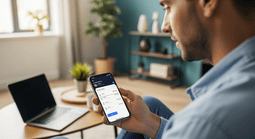
How to check your Lebara balance
If you use Lebara for calls, texts or data, you don’t want your credit disappearing mid-conversation. The good news is that checking your Lebara balance only takes a few seconds once you know the right code, app or web page.
Summary
This article shows you the quickest ways to check your Lebara balance using short dial codes, the MyLebara app and the online portal. You’ll also see how to view remaining data and minutes, check expiry rules and fix common balance issues.What you’ll learn
- How to see your Lebara balance in a few seconds using a dial code
- How to check your balance, data and minutes in the MyLebara app
- How to view your balance online in your MyLebara account
- How Lebara handles credit expiry and SIM inactivity
- What to try if your balance looks wrong or a top-up doesn’t show
1. Quick-check your Lebara balance with a dial code
On most Lebara SIMs you can check your balance with a short code (USSD). You dial it like a normal number and see your credit on screen.How to use a balance code
- Open the dialler on your phone.
- Enter your country’s Lebara balance code.
- Press the call button.
- Wait a moment for a pop-up or SMS with your current credit.
- Lebara UK: dial *#1345# and press call to see your balance on screen.
- Lebara UK (voice): dial 5588 to hear your balance.
- You have mobile signal (not just Wi-Fi).
- You’re actually on the Lebara network with a Lebara SIM.
- You’re using the code for your country, not another one you found online.
2. Check your Lebara balance in the MyLebara app
If you use data a lot or have bundles, the app is usually the easiest way to keep track of everything.- Install the app
- Go to the App Store on an Apple device or Google Play if you’re using Android. Then, search: MyLebara.
- Install the official app for your country.
- Sign in or create an account
- Open MyLebara.
- Log in with your Lebara number and password.
- If you haven’t registered yet, follow the on-screen steps to set up an account.
- View your balance and allowances
3. Check your balance online in MyLebara
You don’t have to use the app. You can also see your balance in your browser.How to check online
- Go to your local Lebara website (for example, lebara.co.uk or lebara.de).
- Click Log in / MyLebara.
- Sign in with your Lebara number and password.
- On your dashboard, you’ll see:
- Prepaid credit balance
- Active bundles and remaining allowances
- Data, calls and SMS usage and top-up history
Frequently Asked Questions
Is it free to check my Lebara balance?
Most USSD codes and in-app checks are free when you use your Lebara SIM. Calls to voice menus like 5588 or 1244 are free as well, but if you’re abroad or calling from another network, charges can apply.
Can I check my Lebara balance when I’m abroad?
Yes. USSD codes work when roaming. The MyLebara app and website work anywhere you have data or Wi-Fi. Just remember that any calls or SMS you make while roaming might cost more, so it’s better to use the app or website if possible.
How often should I check my balance?
That depends on how you use your phone, but these are good moments:
- After a big call or long data session
- Before travelling or buying a roaming add-on
What if someone else uses my Lebara SIM?
If you think someone else has been using your SIM or account: Check your recent usage in MyLebara. Then if you you see calls or top-ups you don’t recognise, contact Lebara support to ask them about blocking the SIM and issuing a replacement if needed.
Instant code delivery by email
Safe & secure payment
Certified reseller

Lebara
Direct delivery