
Mobiletopup.co.uk is a certified reseller of Nintendo Switch Online
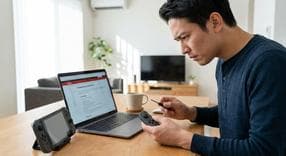
Nintendo Switch Controller Not Working: How to Fix It
Dealing with a nintendo switch controller not working is incredibly frustrating, especially when you are ready to jump right into your favorite game. Fortunately, this guide provides straightforward, step-by-step solutions to fix unresponsive Joy-Cons and Pro Controllers. No matter your gaming setup, we will help you troubleshoot the problem and get your hardware back in action.
Initial Steps for a Switch Joy-Con Not Connecting
Before attempting any complex repairs for a switch joycon not connecting, you should start with the basics to rule out simple power or software glitches.- Verify that your controller battery is fully charged. Slide the controllers onto a charging console and let them sit for a while if you are unsure.
- Perform a hard reset on your Nintendo Switch console. You can do this by holding down the power button on the top of the system for 12 seconds, then pressing it once more to turn it back on.
- Navigate to your System Settings to ensure your console has the latest firmware update installed, as outdated software frequently causes connectivity bugs.
Fixing a Nintendo Switch Controller Not Working When Attached
If you find your nintendo switch controller not working when attached directly to the sides of the handheld console, the issue usually stems from a physical connection problem. Dirt, grime, and wear can disrupt the contact points over time.- Carefully inspect the metal connector rails on both the inner side of the Joy-Con and the side of the main console tablet.
- Gently clean these metal rails using a dry microfiber cloth or a soft, dry toothbrush to sweep away any hidden dust or debris blocking the sensors.
- Look closely for any signs of physical damage, such as bent pins on the connector rails. If the pins are bent, the controller cannot establish a stable electrical connection with the screen.
Troubleshooting Controllers Not Working When Detached or Disconnected
Wireless communication failures are incredibly common. If you have a nintendo switch controller not working when detached from the console, or a nintendo switch controller not working when disconnected from the physical rails, try these methods to restore the wireless Bluetooth signal.- Locate the small, circular SYNC button on the flat side of your Joy-Con. Press and hold it briefly to force a quick pairing reset.
- Clear your gaming area of Bluetooth interference. A common fix for a nintendo switch controller not working when detached reddit threads frequently mention is removing sources of interference. Move smartphones, wireless headsets, laptops, or even microwaves away from your gaming space.
- Go to your System Settings menu, scroll down to "Controllers and Sensors," and select "Disconnect Controllers." After completing this, re-pair your controllers to the console completely from scratch.
Resolving a Nintendo Switch Controller Not Working When Docked (On TV)
Playing on the big screen should be a seamless experience, but having a nintendo switch controller not working when docked can ruin your gaming session. When you face a nintendo switch controller not working on tv, the problem is often related to signal blockage or a confused dock.- Check your physical surroundings. Distance and thick physical barriers, such as heavy wooden TV cabinets or glass media center doors, can easily block the controller's wireless signal from reaching the dock.
- Power-cycle your Nintendo Switch dock. Unplug both the AC adapter and the HDMI cable directly from the dock, wait for 30 seconds, and plug them back in securely.
- Test the controller by plugging it directly into the dock's USB ports using a wired charging cable. If it functions perfectly while plugged in but fails wirelessly, you may be dealing with a failing wireless antenna inside the controller.
Specific Fixes for Switch Pro Controller Issues
Official Pro Controllers are fantastic for traditional gaming, but you might occasionally run into switch pro controller issues. If you notice your nintendo switch controller not working properly, try these targeted steps designed specifically for this gamepad.- Navigate to the "Controllers and Sensors" menu in your Switch settings and toggle the "Pro Controller Wired Communication" setting on or off to see if a simple software toggle resolves the connection bug.
- Press the physical SYNC button located on the top edge of the Pro Controller (next to the charging port) to reset its connection to your console.
- If your thumbsticks are drifting or the nintendo switch controller not working right during precise gameplay, go into the system settings and select "Calibrate Control Sticks" to manually realign the sensors.
Fixing a Nintendo Switch Controller Not Working on PC
Many PC gamers love using Nintendo hardware, but a nintendo switch controller not working on pc is a common hurdle. Fortunately, Windows compatibility has improved significantly by 2026. Follow these steps to ensure a smooth connection.- Ensure you properly pair your Joy-Cons or Pro Controller to Windows via Bluetooth. Hold the SYNC button on the controller until the lights flash, then go to your PC's Bluetooth settings and click "Add Device."
- Check your gaming software compatibility settings. If you are playing on Steam, make sure to enable Steam's "Nintendo Button Layout" and generic gamepad configuration settings so the platform correctly maps your A/B and X/Y inputs.
- If your Bluetooth pairing continuously drops, lags, or disconnects randomly, bypass the wireless connection entirely and try using a direct wired USB-C connection to your computer.
Frequently Asked Questions
Instant code delivery by email
Safe & secure payment
Certified reseller
Nintendo Switch Online
Direct delivery