
Mobiletopup.co.uk is a certified reseller of Twitch
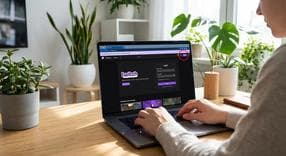
How to Sign In to Twitch
If you are wondering how to sign in to Twitch, you are in the right place. Completing your Twitch login is the key to unlocking everything the streaming platform has to offer. When you successfully navigate the Twitch sign in process, you instantly gain the ability to interact directly in the chat, follow your favorite streamers, subscribe to channels, and even broadcast your own gameplay. Let us walk through everything you need to know to easily access your account across all your devices in 2026.
How to Register for a New Twitch Account
Before you can log in, you need an active profile. If you are wondering how to register in Twitch, the process is quick and completely free for brand-new users. Just follow these simple steps:- Navigate to Twitch.tv on your web browser or open the official mobile app.
- Click or tap the Sign Up button located at the top right corner of your screen.
- Fill out the required information, which includes choosing a unique username, creating a secure password, entering your date of birth, and providing a valid email address or phone number.
- Verify your account by entering the code sent to you via email or SMS.
The Standard Twitch Login Process
Once your account is active, you might be asking how to login in Twitch on your everyday devices. The standard Twitch sign in process for a desktop browser or the mobile app is incredibly straightforward:- Click the Log In button situated in the top right corner of the Twitch homepage or mobile app dashboard.
- Enter your registered username and your password.
- Complete the Two-Factor Authentication (2FA) step if prompted by entering the security code sent to your mobile device or email.
How to Sign In to Twitch on Different Devices
Taking your viewing experience to the big screen or a console requires a slightly different approach. Instead of typing out a long password with a clunky remote control, logging in on external devices usually requires a simple on-screen activation code.Smart TVs and Roku
If you want to know how to sign in Twitch on TV or how to sign in on Twitch on Roku, you will use the convenient web activation method rather than a traditional keyboard prompt:- Download and open the Twitch app on your smart TV or Roku device.
- Select Sign In to generate a unique 8-digit activation code on your screen.
- On a separate mobile device or computer, open a web browser and go to twitch.tv/activate.
- Log in to your account if you are not already signed in, and enter the 8-digit code to successfully link your television device.
Xbox and Gaming Consoles
Gamers often prefer watching live streams directly from their gaming consoles. Here is how to sign in Twitch on Xbox. By connecting their Twitch account to their Xbox, players can easily view content on their television or seamlessly broadcast their own gaming sessions. Just follow these steps:- Install the official Twitch app from the Xbox Store.
- Open the application and navigate directly to the sign-in prompt.
- Use your smartphone to scan the QR code displayed on the screen, or use the provided web activation link in your mobile browser to authorize the Xbox.
Connecting Twitch to Streaming Software
For content creators, going live requires linking your Twitch account to your preferred broadcasting software. This secure connection allows your software to communicate directly with your channel without needing to constantly copy and paste stream keys.How to Sign Twitch into OBS
OBS Studio remains one of the most popular tools for streamers worldwide. If you are learning how to sign in Twitch on OBS, or generally how to sign Twitch into OBS, follow this technical but easy-to-follow integration guide:- Open OBS Studio and click on Settings in the bottom right corner.
- Navigate to the Stream tab located on the left sidebar.
- Select "Twitch" from the Service dropdown menu.
- Click the Connect Account (recommended) button.
- Enter your Twitch login credentials into the pop-up browser window and authorize OBS to access your channel.
Linking Amazon Prime with Twitch
If you are an Amazon Prime member, connecting your accounts allows you to claim monthly gaming benefits, including exclusive in-game loot and a free monthly channel subscription to support your favorite creator.How to Sign Into Twitch with Amazon Prime
Many users search for how to sign in with Twitch Prime, but it is important to note that the service is now officially recognized as Prime Gaming. Here is how to sign into Twitch with Amazon Prime so you can sync your accounts:- Visit the official Prime Gaming website.
- Sign in using your standard Amazon Prime login credentials.
- Locate the Link Twitch Account option within your account dashboard.
- Confirm the authorization to instantly unlock your Prime gaming loot and your monthly channel subscription.
Frequently Asked Questions
Instant code delivery by email
Safe & secure payment
Certified reseller

Twitch
Direct delivery