
Mobiletopup.co.uk is a certified reseller of Twitch
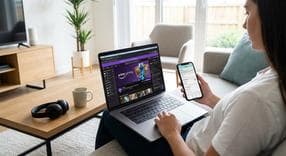
How to Link Amazon Prime to Twitch
Are you ready to unlock a world of Twitch Prime Gaming perks? When you link your Amazon Prime account to your favorite streaming platform, you instantly gain access to premium benefits. Many users find themselves wondering, "how do I link my amazon prime to twitch?" The process is simple, entirely free if you are already a member, and incredibly rewarding. By taking just a few minutes to link amazon prime to twitch, you will unlock incredible rewards, including exclusive in-game loot and that highly coveted monthly free subscription . Here is everything you need to know to get started.
Step-by-Step Guide to Connect Amazon Prime to Twitch
If you are using a desktop computer, following our web tutorial is the easiest way to add amazon prime to twitch. To successfully connect amazon prime to twitch, simply follow these steps:- Navigate to the official Prime Gaming website in your preferred web browser.
- Sign in using your active Amazon Prime account credentials.
- Locate your dashboard and click on the "Link Twitch Account" option. This is the fastest way to add amazon prime to twitch account settings.
- Log into your target Twitch account when prompted to authorize the connection and seamlessly link amazon prime to twitch account.
How to Link Amazon Prime to Twitch on Mobile
Mobile users often get stuck in an endless loop, bouncing back and forth between the native Twitch and Amazon apps. If you want to know how to link amazon prime to twitch on phone, you need to use a specific web-based workaround. Here is the best method to link amazon prime to twitch mobile:- Advise your device to avoid using the native mobile apps. Instead, open a mobile web browser like Safari or Google Chrome.
- Go directly to the Prime Gaming mobile website.
- Log in to your account and follow the exact same account linking prompts that you would see on the desktop version to finalize the connection.
Claiming Your Amazon Prime Twitch Sub
Now that your accounts are connected, it is time to enjoy the absolute best perk of twitch prime gaming. An amazon prime twitch sub allows you to support your favorite content creators financially at no extra cost to you. If you initially looked up how to link amazon prime to twitch for free sub, here is exactly how you can redeem it:- Navigate to the channel of your favorite streamer on the platform.
- Click the purple "Subscribe" button located below the video player.
- Scroll down to the bottom of the subscription menu pop-up.
- Check the box that says "Use Prime Sub" to apply your free monthly subscription to that creator.
Linking Amazon Prime to Twitch in Canada and Other Regions
Prime Gaming is a global service, but international users occasionally run into errors during the linking process. This typically happens because you must be logged into your specific regional Amazon portal rather than the global site. For example, if you want to link amazon prime to twitch canada, you need to ensure you are operating through Amazon.ca, while UK users must use Amazon.co.uk.Troubleshooting tip: If you encounter an error message while connecting, double-check your browser's address bar. Make sure you are not accidentally trying to link a regional account to the default US-based Amazon.com site.Frequently Asked Questions
Instant code delivery by email
Safe & secure payment
Certified reseller

Twitch
Direct delivery