

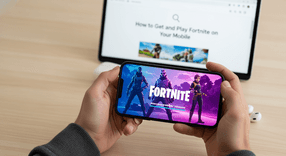
How to Get and Play Fortnite on Your Mobile
If you have looked for Fortnite recently, you likely noticed that it is not available on the usual app marketplaces. Due to long-standing legal disputes between Epic Games, Apple, and Google regarding payment systems, the game was removed from their platforms. This means you will not find Fortnite on the standard Google Play Store or the Apple App Store.
Understanding Fortnite’s Mobile Availability
If you have looked for Fortnite recently, you likely noticed that it is not available on the usual app marketplaces. Due to long-standing legal disputes between Epic Games, Apple, and Google regarding payment systems, the game was removed from their platforms. This means you will not find Fortnite on the standard Google Play Store or the Apple App Store.However, you can still play the game on your mobile device. The method depends entirely on your operating system. Android users must download a specific installer directly from the developer, while iOS users primarily rely on cloud gaming services to stream the game via a web browser.How to Play Fortnite Mobile on Android
Android allows users to install applications from sources outside of the main Play Store, making it relatively straightforward to get Fortnite running natively on your device.Direct Download (APK)
To get the game, you must visit the official Fortnite or Epic Games website through your mobile browser. Look for the option to download the "Epic Games App." This application functions as a launcher, allowing you to download and update Fortnite directly from Epic rather than Google.Samsung Galaxy Store
If you own a Samsung device, the process is even easier. Epic Games has maintained a partnership with Samsung, so you can open the Galaxy Store app pre-installed on your phone, search for the Epic Games App, and install it just like any other application.Installation Steps
When installing the APK file directly from a browser, your phone will likely flag the file for security reasons. To proceed, you will need to approve the installation. This process involves granting permission to install from "Unknown Sources" within your browser or file manager settings. Once permission is granted, install the Epic Games App, open it, and select Fortnite to begin the large game download.How to Play Fortnite Mobile on iPhone and iPad
Because Apple strictly prohibits "sideloading" apps and has banned Fortnite from the App Store, iOS users cannot install the game natively. Instead, you must use browser-based cloud gaming services. These services run the game on powerful servers and stream the video to your iPhone or iPad.Using Xbox Cloud Gaming
One of the most reliable ways to play on iOS is through Xbox Cloud Gaming. Follow these steps:- Open Safari on your iPhone or iPad and navigate to xbox.com/play.
- Tap the "Share" button in Safari and select "Add to Home Screen." This creates an app icon for better performance.
- Launch the new shortcut and sign in with your Microsoft account. You do not need a paid subscription to play Fortnite; a free account works perfectly.
Using NVIDIA GeForce NOW
NVIDIA offering provides high-performance streaming options. To use this method:- Create an NVIDIA GeForce NOW account. You can choose a free tier or a paid tier for longer sessions and better graphics.
- Access the service through Safari and add it to your Home Screen just like the Xbox method.
- Once logged in, link your Epic Games account to your GeForce NOW profile to sync your progress and skins.
Using Amazon Luna
Amazon Luna is another alternative for cloud gaming. If you are an Amazon Prime member or subscribe to Luna directly, you can access Fortnite through the Luna web app on Safari, offering a similar streaming experience to the options above.Optimizing Your Gameplay: Controllers and Settings
Playing a competitive shooter on mobile can be challenging. Understanding the difference between touch controls and physical hardware is key to securing a Victory Royale.How to play Fortnite Mobile with a Controller
Fortnite Mobile offers full support for external controllers, which often provides a significant advantage over touch users. Supported devices include:- Xbox Wireless Controllers
- PlayStation DualShock 4 and DualSense Controllers
- Dedicated MFi (Made for iPhone/iPad) controllers
Customizing Touch Controls
If you prefer playing without extra hardware, you should customize your screen setup. Open the Fortnite settings and look for the "HUD Layout Tool." This allows you to resize and move every button on the screen. Many advanced players use this to configure a "claw" grip, allowing them to jump, aim, and shoot simultaneously using multiple fingers.Frequently Asked Questions
Instant code delivery by email
Safe & secure payment
Certified reseller

Fortnite Gift Card
Direct delivery